For an agency, the first question about any AI tool isn't "what can it do?" but "what can it break?". Your clients trust you with their contacts, their pipelines and their messages. Here is how My GoHighLevel MCP keeps Claude inside the lines you draw, and what you can check afterwards.
1. Claude works as a person, never as a master key
Every person in your organisation signs in to GoHighLevel with their own login, using GoHighLevel's one-time code. When someone asks Claude to do something, it runs with that person's GoHighLevel session. So Claude can never do more than that person could do in the GoHighLevel app themselves.
The GoHighLevel password is used once, to sign in, and never stored. The session GoHighLevel returns is encrypted at rest and lasts about 30 days.
2. Only the sub-accounts you choose
A GoHighLevel login can often reach dozens of client sub-accounts. Claude can't. Your organisation chooses which sub-accounts Claude may work in, and our server checks every single call against that list, whatever the person's login could open.
Ask for a sub-account that isn't chosen and Claude refuses, tells you why, and explains how an admin can switch it on. Nothing about that is left to the model's judgement.
3. It asks before it acts
Claude is instructed to confirm with you before it sends messages, deletes anything, or changes many records at once. Workflows it builds are saved as drafts, so a new automation doesn't go live until you say so.
4. Switches for the things you don't want
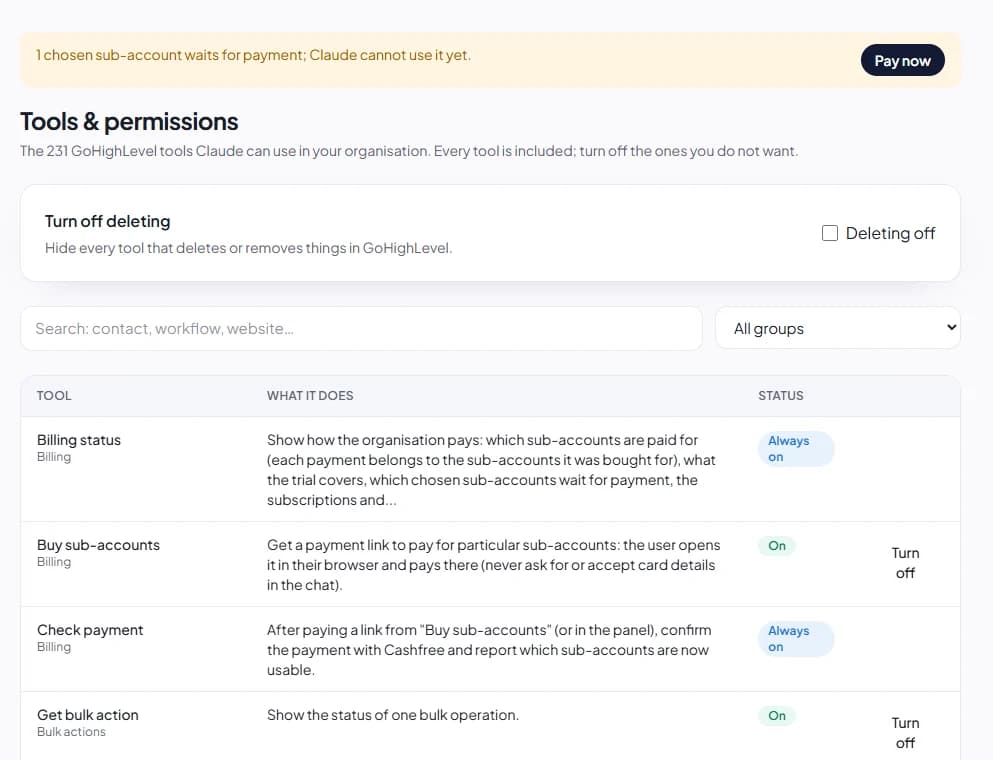
Admins can open Tools & permissions and turn off any tool for the whole organisation. If you never want Claude deleting anything, one switch turns off every delete. The sign-in and billing tools stay on, so nobody gets locked out.
5. A record of everything
Every call Claude makes, including the ones that were refused, goes into the activity log: who asked, in which sub-account, what ran, whether it succeeded, and which GoHighLevel endpoints it reached. Filter it by person, tool, result or date, and export it to CSV when a client asks what happened.
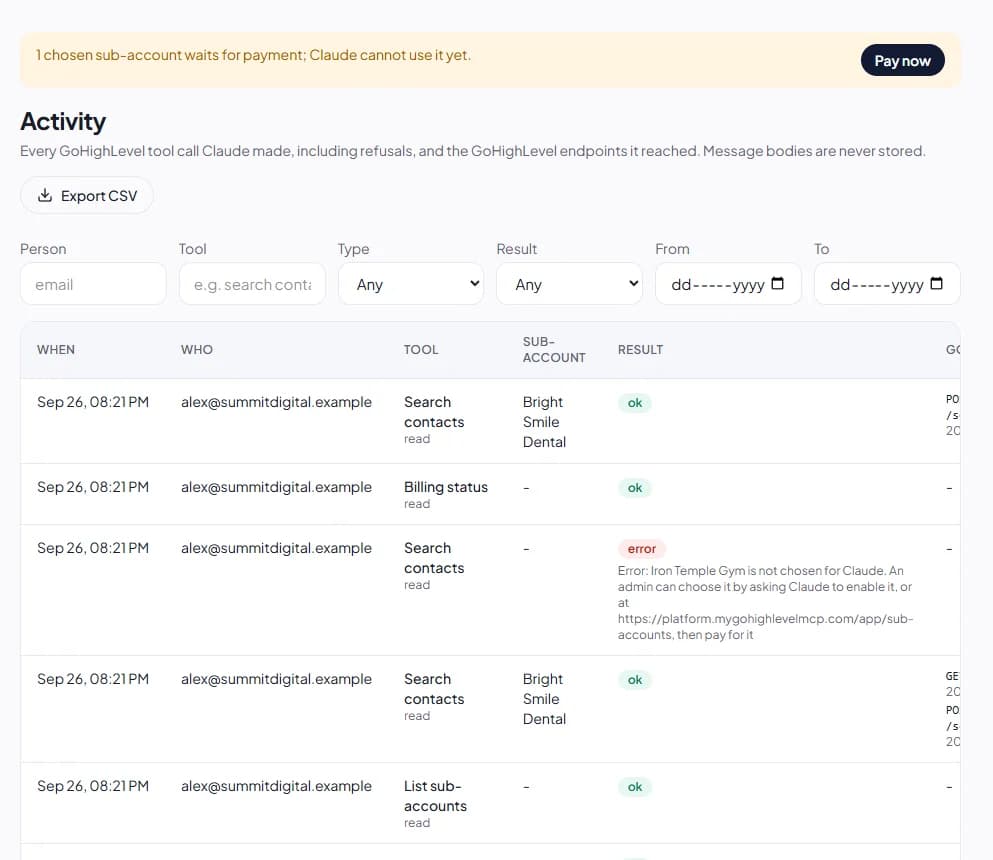
To protect privacy, message bodies are never stored in the log, and email addresses and phone numbers are masked.
6. People, not seats
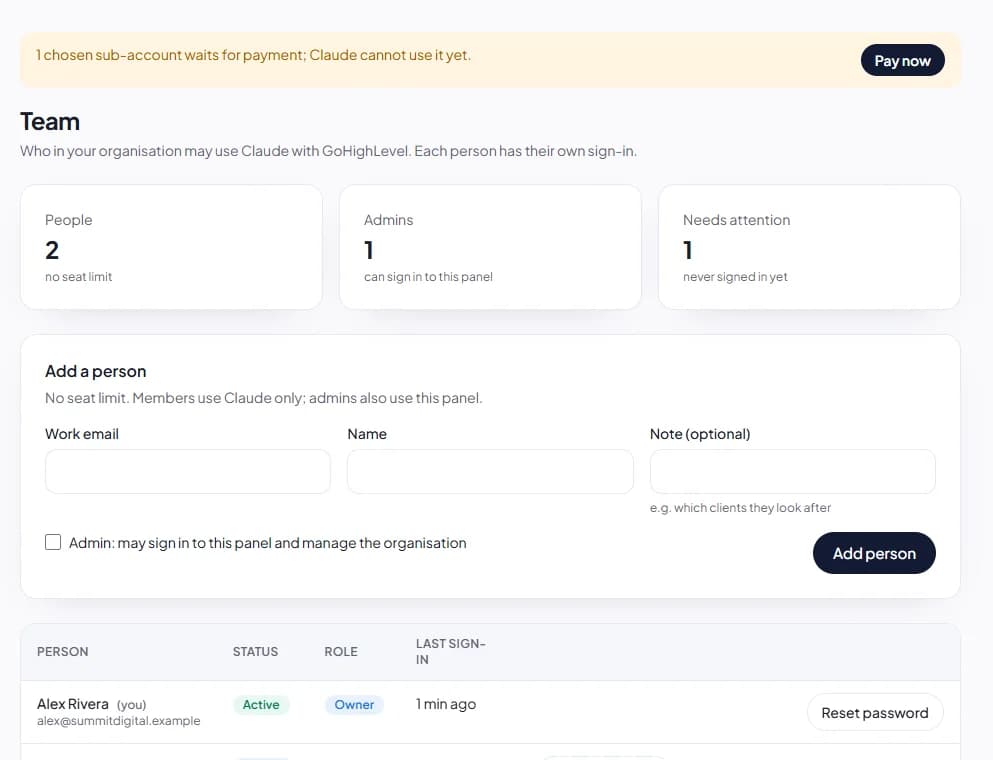
Admins run the panel: they choose sub-accounts, manage the team, pay and set the switches. Members only use Claude. When someone leaves, removing them from the team ends their Claude connections and signs them out of GoHighLevel at once. You can also sign any single session out from the panel.
7. Your data stays yours
We don't copy your contacts, conversations or pipelines into our database: results pass straight through to Claude. If you delete your organisation, renewals stop, every Claude connection and GoHighLevel sign-in is removed immediately, and the rest of the organisation's data is deleted 30 days later.
A sensible rollout
- Start with one sub-account you know well, ideally a test one.
- Turn off deletes until your team is comfortable.
- Add account managers as members, each with their own GoHighLevel login.
- Review the activity log after the first week, then choose more sub-accounts.
The security page has the full detail, including how organisations are kept apart. Questions from your clients or your security team? Get in touch and we'll answer them.