
Once Claude is connected to your GoHighLevel account, the question is no longer "can it do this?" but "what should I ask?". Here are 25 real requests, grouped by the job they do. You don't need to phrase them exactly like this: describe the outcome and Claude works out the steps.
A tip before you start: if you work in more than one sub-account, name it in your request ("in Bright Smile Dental") or ask Claude to switch to it first.
Contacts and deals
- "Find Marcus Lee's phone number and his last appointment." Claude searches your contacts and reads the record.
- "Tag everyone who came from the spring webinar as 'webinar-2026'." It finds the contacts and adds the tag to each.
- "Show every deal over $10,000 with no activity in 21 days." A pipeline review that normally takes a stack of filters.
- "Move the Hartley deal to Won." Stage and status in one go.
- "Add a 'Site visit booked' stage after 'Contacted' in the sales pipeline." Pipelines and stages can be created, renamed and reordered.
Calendars and appointments
- "When is the next free consultation slot on Tuesday afternoon?" Claude checks the calendar's free slots.
- "Book Priya in for 3pm and send her a confirmation." It books the appointment, then asks before sending the message.
- "Move Noah's Thursday session to Friday at the same time." Rescheduling without opening the calendar.
Messages and follow-up
- "What did we last say to Noah, and has he replied?" Claude reads the conversation for you.
- "Text everyone who missed their appointment this week a friendly link to rebook." It shows you who it will message and waits for your yes.
- "Mark all of Summit Roofing's conversations from yesterday as read." Inbox housekeeping in one line.
Workflows
- "Build a workflow: when the consultation form is submitted, tag them 'consult', wait 10 minutes, then send a welcome text." Built as a draft, so you can check it before it goes live.
- "Which workflows are published, and which have errors in their logs?" A health check across your automations.
- "Put Priya into the nurture workflow." Or take her out of one.
- "Copy our new-lead workflow into a 'Templates' folder." Keeping automations organised.
Pages and forms
- "Create a landing page for the spring promotion from this copy." Paste the copy; Claude creates the page in the right sub-account.
- "Publish this HTML to the thank-you page." Update an existing page without the editor.
- "Make a five-question intake form for new patients." The form, its fields and the folder it lives in.
- "How many people submitted the quote form this week?" Claude reads the submissions.
Courses, emails and products
- "Set up a 'Getting started' course with three modules and a welcome lesson in each." The outline, ready for your content.
- "Who hasn't started the onboarding course yet?" Course progress, by member.
- "Draft a welcome email template in our brand colours and send me a test." You see it in your inbox before anyone else does.
- "Add a 'Family membership' product at $79 a month." The product and its price.
Running the account
- "Add Sam as a user in Summit Roofing." Sub-account users, added and updated.
- "What's my billing status?" Claude tells you which sub-accounts are paid for, what the trial covers and what is waiting.
A few habits that help
- Ask for a question before a change. "Show me the deals" before "move the deals" lets you check the list.
- Start with one record. Try a new kind of change on one contact, then ask Claude to repeat it for the rest.
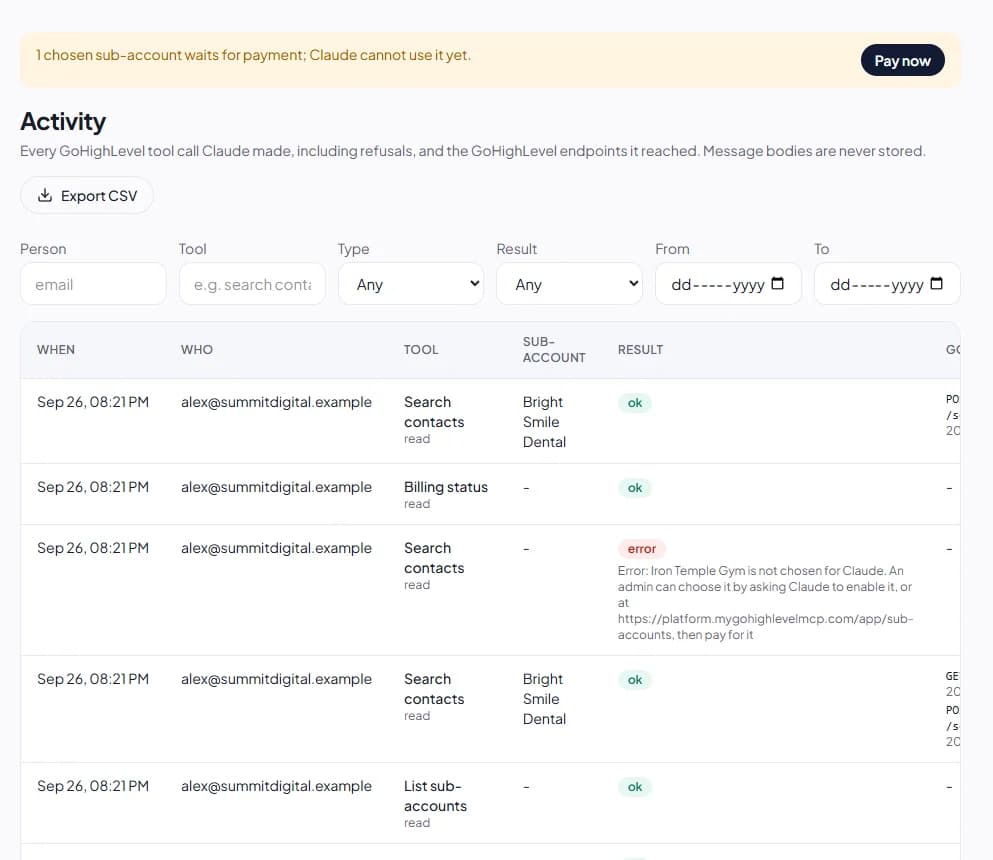
- Keep an eye on Activity. Every request lands in the panel's activity log, with the GoHighLevel endpoints it reached, so you can see exactly what happened.
All of this is included for every sub-account you pay for. The example prompts guide has more, and the 3-day free trial is the quickest way to try them on your own account.